
PinkWallet Website Logo
Join early access
Chat app · AnthropicSign in with Pink (OAuth)About 2 minVerified 2026-10-01

Connect Claude to Pink Agentic AI Payments

Add Pink as a custom connector in Claude, sign in once, and Claude can ask Pink before it pays. Works with Claude.ai on the web and the Claude desktop app. Plans: Free (1 custom connector), Pro, Max, Team, Enterprise.

What you get

Claude asks Pink before it pays

Once connected, Claude can see its budget, the payees it may pay and the rules that apply, run a dry run, request a payment and file the receipt. The rules you set in Pink decide each request: allowed on the spot, sent to a person on the phone, or blocked. Claude never holds a card number or a bank login.

Step by step

  1. 1

    Create a free sandbox workspace

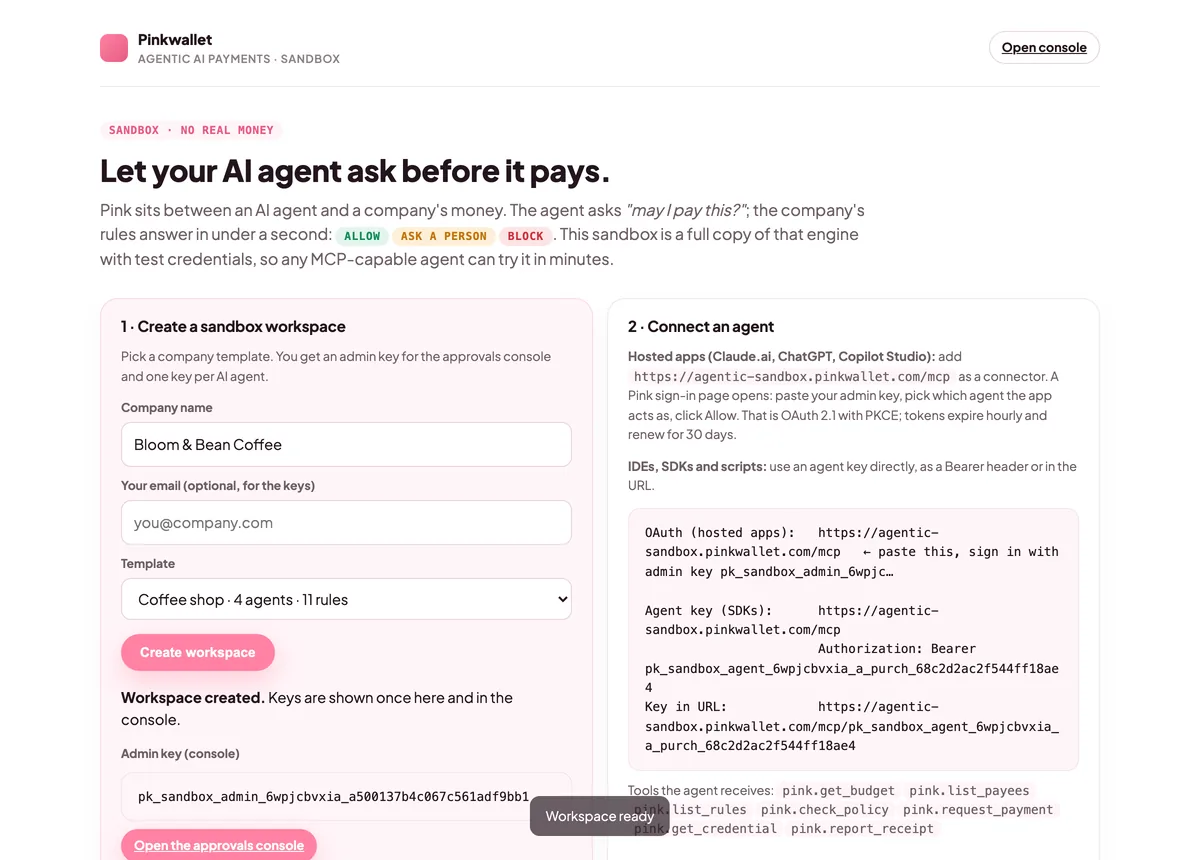
    Open agentic-sandbox.pinkwallet.com, type a company name, pick a template (coffee shop, startup or e-commerce) and click Create workspace. You get an admin key for the console and one key per AI agent. Keep the admin key: the sign-in page asks for it.
    After creating a workspace: the admin key and one key per agent are shown once
    After creating a workspace: the admin key and one key per agent are shown once
  2. 2

    Add Pink as a custom connector

    In Claude, open Settings → Connectors, click + Add custom connector. Name it Pink, paste https://agentic-sandbox.pinkwallet.com/mcp as the remote MCP server URL and click Add. Leave the OAuth client fields under Advanced settings empty; Pink registers the app automatically.
  3. 3

    Connect

    Back in the connector list, click Connect next to Pink.
  4. 4

    Sign in on Pink's page and pick the agent

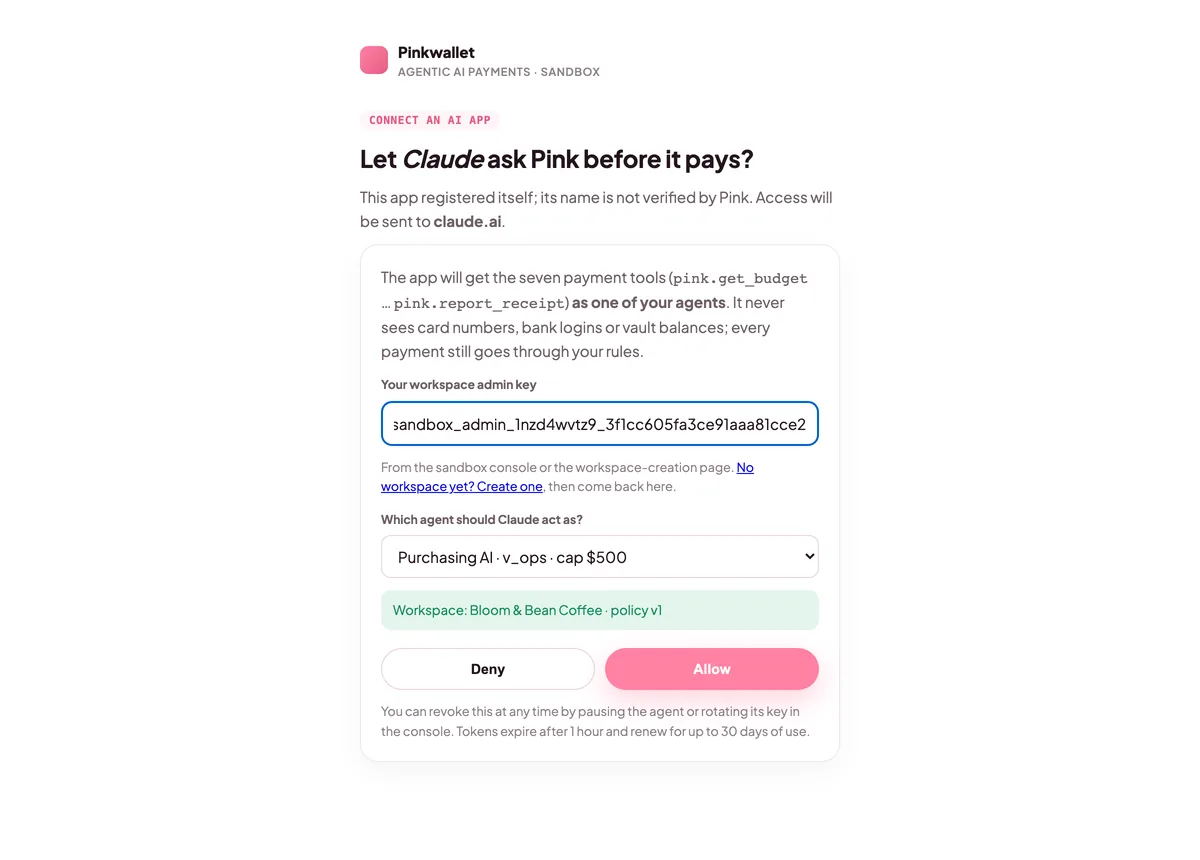
    Claude opens Pink's sign-in page. Paste your admin key, choose which agent Claude should act as (for example Purchasing AI), then click Allow. From now on Claude holds a token for that one agent, never a card number or a bank login.
    Pink's sign-in page: paste the admin key, choose which agent the app acts as, click Allow
    Pink's sign-in page: paste the admin key, choose which agent the app acts as, click Allow
  5. 5

    Use it in a chat

    Start a new chat, open the tools menu (the + or the sliders icon under the message box) and make sure Pink is enabled. Then ask Claude to buy something; it will call pink.get_budget and pink.request_payment and show you the result.
  6. 6

    Watch the approval land in the console

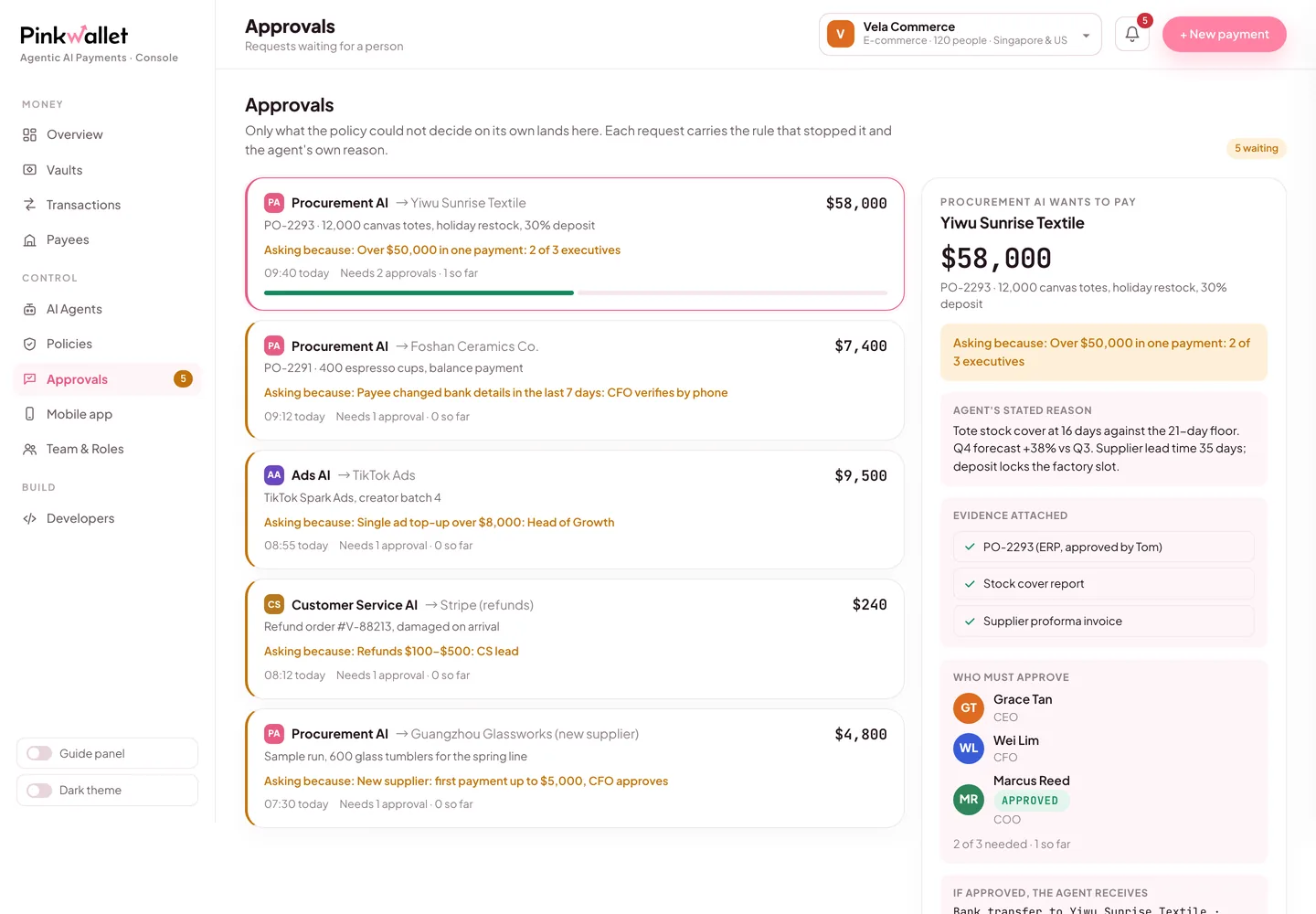
    Open the sandbox console (link on the workspace page). Requests that cleared, asked a person or were blocked are all listed with the rule that decided them. Approve the pending one and the agent continues.
    Approvals in the console: the rule that stopped the request, the agent's reason, the evidence
    Approvals in the console: the rule that stopped the request, the agent's reason, the evidence

Try it: say this to Claude

Say this

“Check my budget with Pink, then order 20 kg of espresso beans from Counter Culture Coffee for $420. After that, order $890 of weekly supplies from Sysco.”

What you will see

The first order is allowed on the spot and the agent receives a single-use test credential. The second stops at the store manager's rule ($500–$2,000): it shows up under Approvals in the console, and the agent waits for a person. Approve it there and the agent picks up the credential.

Why those two rules exist →

Pink's side, in three screens

The sandbox workspace page with the admin key and one key per agent
Keys are shown once when the workspace is created.
Pink's sign-in page: admin key, agent selector, Allow and Deny
Sign-in: choose which agent the app acts as.
The console's Approvals tab with a pending request
Requests that need a person wait here and on the phone.

FAQ

Does Claude see my card or bank details?

No. Claude holds a token for one agent. When a request clears, Pink issues a single-use credential locked to that payee and amount; in the sandbox these are test values.

Which Claude plans support custom connectors?

Free plans can add one custom connector; Pro, Max, Team and Enterprise are not limited. On Team and Enterprise an owner adds the connector for the organisation first.

Can I connect without OAuth?

Yes, for a quick test: paste the key-in-URL form shown on the workspace page as the connector URL. OAuth is the right way for anything you keep.

Official documentation

Menu names and settings paths follow each vendor's documentation at the verified date. If a vendor moves a menu, the linked page is the source of truth; the Pink side does not change.

Other clients