Connect the AI you already use to Pink Agentic AI Payments
15 guides, one per client, each with numbered steps and screenshots of what you will see. Chat apps such as Claude and ChatGPT sign in with Pink in a browser; coding tools and frameworks take an agent key. Either way the agent gets the same seven tools and your rules decide every payment.
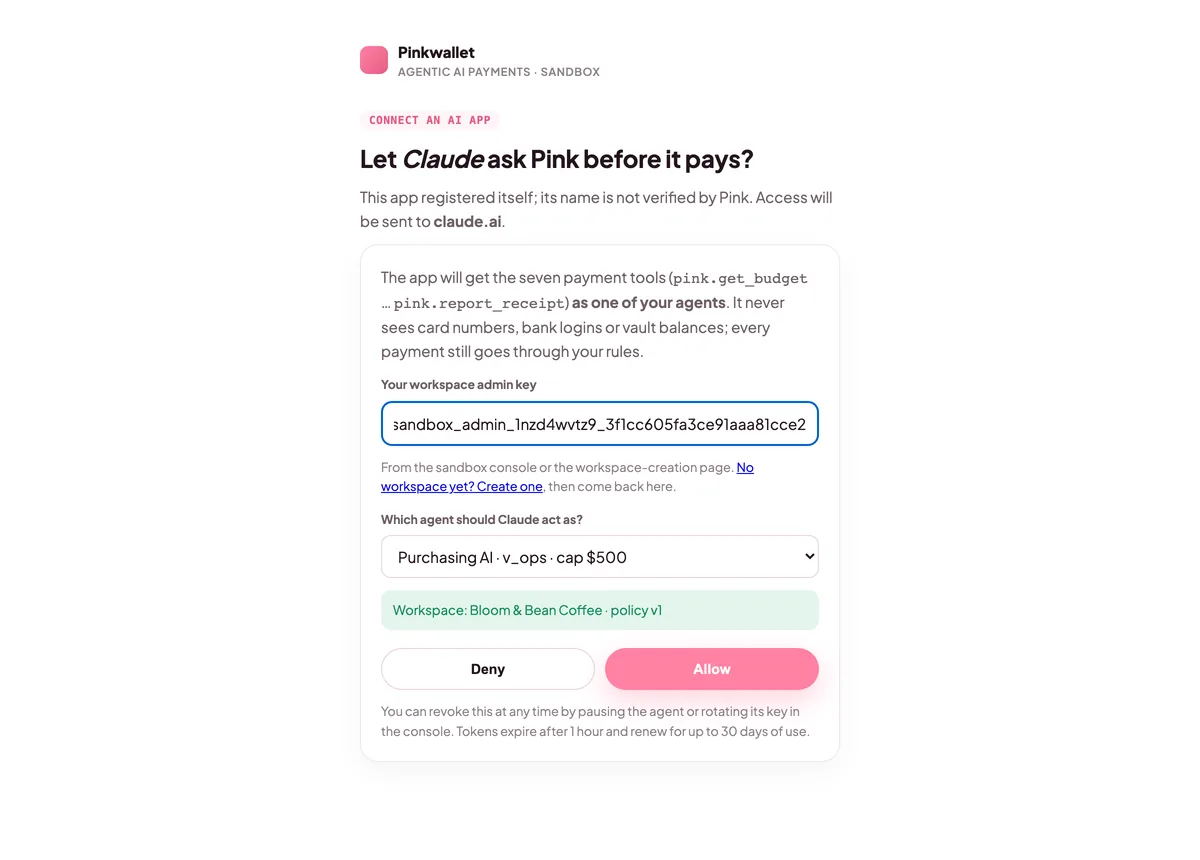
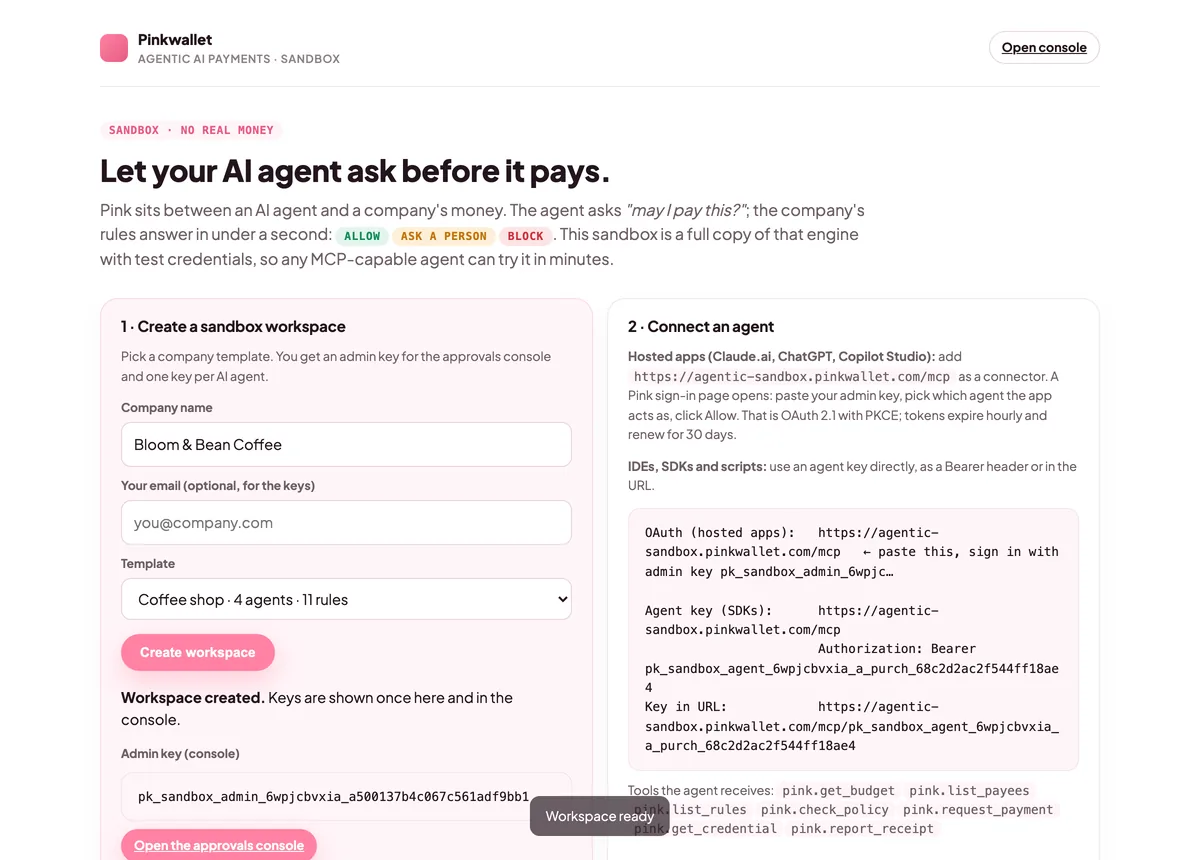
For apps a person uses: Claude, ChatGPT, Claude Code. The app opens Pink's sign-in page, you paste the admin key, choose which agent the app acts as, and click Allow. The app keeps a token for that agent. Standard OAuth 2.1 with PKCE; the app registers itself.
Agent key
For code, IDEs and automation: Cursor, Gemini CLI, the OpenAI and Anthropic APIs, LangChain, n8n. Paste one agent's key as the Authorization header, or put it in the URL for tools that cannot set headers. The key is the agent's identity and is bounded by its budget and rules.
Not on the list?
Anything that speaks MCP over Streamable HTTP connects the same way; see the official SDK guide. Anything else can use the REST mirror. Tell us what you use at [email protected] and we will add a guide.
 Contact Email: [email protected]